
Download Free 3D Models Blender (No Login Sites)
Finding high-quality 3D models for Blender can be frustrating, especially when most websites force you to create an account before downloading anything. If you’re tired of sign-ups, email verification, or limited downloads, this guide solves that problem. This guide helps you find the best sources for free 3D models Blender creators can use instantly.
3D models are the building blocks of modern digital design, used in everything from games and animations to product visualization. With the right models, you can speed up your workflow and focus more on creativity instead of creating everything from scratch.
Here, you’ll find the best websites where you can download free 3D models for Blender without login, along with tips to choose safe and usable files.
Why Use No-Login 3D Model Sites?
Many creators just want quick access to assets without wasting time on registrations.
- Save time and download instantly
- Avoid spam emails and account clutter
- Access assets quickly for testing and practice
- Focus more on creating instead of searching
Best Sites to Download Free 3D Models Blender (No Login Required)
1. Sketchfab (Free Section)
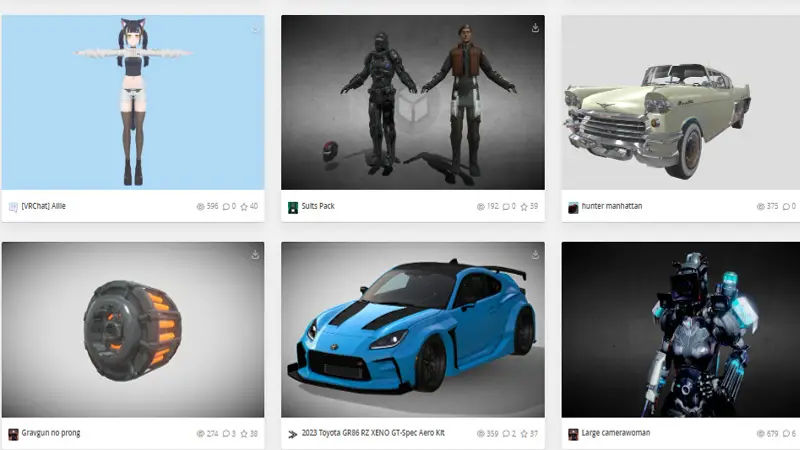
Sketchfab offers thousands of free models, and many can be downloaded without logging in. Sketchfab is one of the largest platforms for exploring and downloading 3D models online. It offers a wide range of assets including characters, environments, and detailed objects created by a global community. Many models are available for free download without login, especially when filtered properly.
- Includes characters, vehicles, environments
- Supports multiple formats including OBJ and FBX
- High-quality community uploads
Tip: Use filters like “Downloadable” and “Free” to find assets quickly.
2. Poly Haven
Poly Haven is one of the most trusted sources for free 3D assets. Poly Haven is known for providing high-quality 3D assets with no login or restrictions. It offers realistic models along with HDRIs and textures, making it perfect for professional Blender projects. All assets are free and licensed for both personal and commercial use.
- Completely free with no login required
- High-quality HDRIs, textures, and models
- Perfect for realistic Blender scenes
3. CGBookcase
CGBookcase provides free assets focused on realism. CGBookcase focuses on realistic assets that are ideal for architectural and environment-based scenes. It provides free models, textures, and HDRIs without requiring any account. The platform is simple to use and designed for quick access to production-ready assets.
- No login needed
- Includes models, textures, and HDRIs
- Good for architectural and environment design
4. Free3D
Free3D offers a mix of free and paid models, but many downloads are available without registration. Free3D offers a large collection of both free and premium 3D models across multiple categories. You can find assets like furniture, electronics, and characters in various formats compatible with Blender. While some models require login, many free downloads are still accessible without registration.
- Large collection of models
- Various categories like electronics, furniture, and characters
- Supports multiple formats
5. Clara.io Library
Clara.io provides a browser-based platform with free downloadable models. Clara.io Library is a cloud-based platform that also provides free downloadable 3D models. It includes a variety of basic to moderately detailed assets suitable for testing and quick projects. Many models can be downloaded directly without creating an account, making it convenient for beginners.
- No login required for many assets
- Includes basic and mid-level quality models
- Useful for quick prototyping
File Formats You Should Look For
When downloading models for Blender, always check the file format.
- .BLEND (native Blender file)
- .OBJ (most compatible)
- .FBX (good for animation)
- .GLTF / .GLB (optimized for web and real-time use)
Avoid unknown or unsupported formats unless you know how to convert them.
Safety Tips Before Downloading
- Download only from trusted websites
- Avoid sites with excessive pop-ups
- Scan files if downloaded from unknown sources
- Check model previews before downloading
- Read license terms for commercial use
How to Import Models into Blender
- Open Blender
- Go to File → Import
- Choose the file format (OBJ, FBX, etc.)
- Select your file
- Adjust scale, lighting, and textures
Best Use Cases for Free Models
- Practice projects
- Game development prototypes
- Animation testing
- YouTube thumbnails and renders
- Portfolio building
Final Thoughts
If you’re looking to speed up your Blender workflow, this guide to Download Free 3D Models Blender helps you find ready-to-use assets quickly without wasting time on sign-ups. You don’t need to sign up on every platform just to download a simple model.
There are still reliable websites where you can get free 3D models for Blender without login, saving both time and effort. Focus on quality, check formats, and always use trusted sources to avoid issues later.