7 Powerful AI Video Editing Tools to Create Stunning Videos
The use of AI in video editing has changed the video production process. The video editing process has now become faster and more efficient due to advancements in algorithms to help automate the video editing process. The AI analyzes the entire video and selects the important parts of the video. It also creates the transition, effect, and filter in its head while analyzing the video. In addition, it also creates a visually pleasing video by adjusting video parameters such as brightness, contrast, and color grading. In addition, it can remove noise, fix shaky footage, and create a seamless transition between video clips.
Video editing AIs are highly advanced pieces of software that provide many different capabilities for performing video editing. Through the use of machine learning algorithms, the video editing AIs can analyze a large number of videos and are then able to determine, select, edit out the unwanted portions, and add special effects/transitions to complete the editing process.
Also, the AI system matches music to the video using intelligent methods; this allows the audio and video to flow together. The development of this type of technology will provide access to many new users, whereas only a limited number of users have the technical skills required to edit video. Thus, content producers and filmmakers will be able to focus on their artistic vision, rather than the tedious task of editing, knowing that the AI will complete the editing process for them.
By the time AI reaches its full potential in the video editing domain, we are likely to see even more powerful and refined abilities.
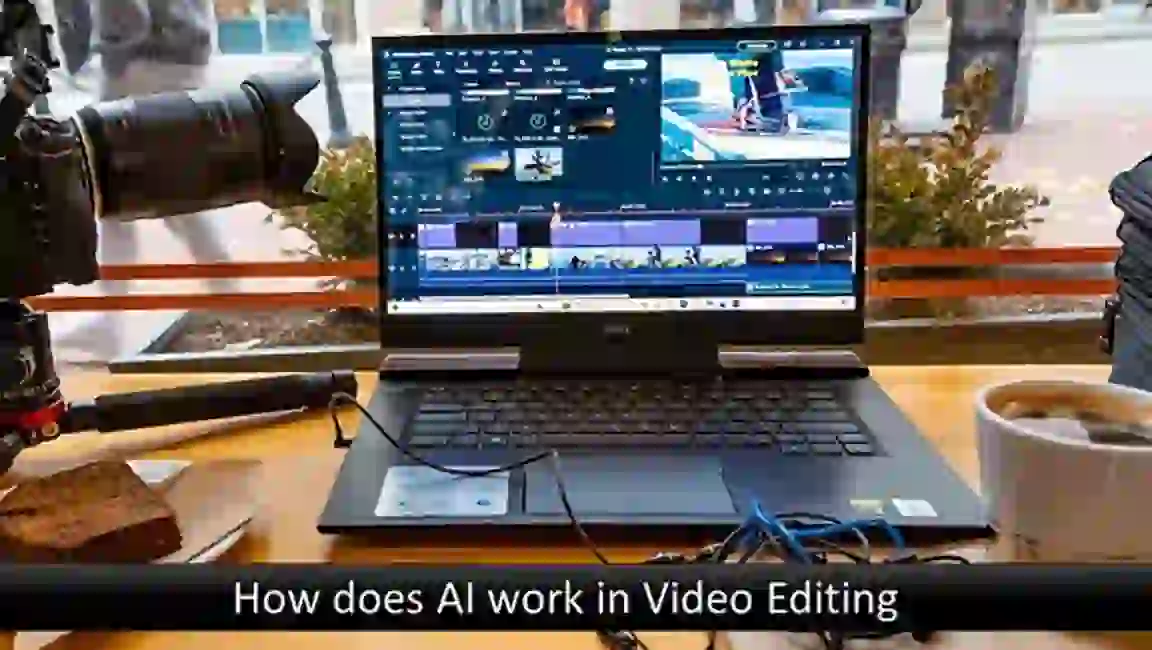
How does AI work in video editing
When you are going to work with an AI video editing tool, you must select an AI video editor that has the AI capabilities built into it or offers plugins that will help you to utilize the AI video editing capabilities. This means the AI will be performing its capabilities through the most current and advanced algorithms possible, which will result in less time spent and a greater overall productivity of editing videos. A simple explanation of how AI is utilized within video editing would be;
- Scene Analysis: The AI algorithms go through the video content, looking at every single frame, and by that, they are capable of finding the major elements like objects, people, environments, etc.
- Content Understanding: The machine learning algorithms dive deep into the video content and pinpoint the most important moments, the actions, and even the emotions to be found in the footage.
- Automatic Editing: If you give the analyzed content to AI, the system will be able to automatically perform the editing tasks, such as cutting and trimming the video clips, selecting the best shots, and putting them in a logical sequence.
- Enhancements and Corrections: The AI system is capable of changing the different visual parameters of a video, such as brightness, contrast, and color grading, and can even add sharpness to the video in order to elevate the video quality. If the video has been shot in an unsteady manner and the video is shaky, then it will be stabilized with the help of the camera lens distortions.
- Effects and Transitions: The AI algorithms are able to suggest or simply carry out the process of applying suitable effects, transitions, and filters to enhance the video’s appeal as well as to ensure the video’s smooth flow.
- Audio-Visual Synchronization: Using AI for audiovisual tasks can ensure that the video is in sync with the background recorded music or audio tracks. Besides, the obtained by the visuals and sounds obtained are in great harmony.
- Content Generation: For example, AI can help to create seamless transitions between shots or make up visual effects depending on the video that has been analyzed.
Such an AI system can significantly speed up the entire process of video production, which means that those who produce visual content will have greater liberty to concentrate on their creative vision.
7 Best AI video editing software
To bring about a major change in video editing, AI video editing tools are the primary factors responsible for making video editing more efficient and accurate, which finally results in high-quality video content. AI-based systems can make videos more attractive by enhancing colors, contrast, and sharpness, and they can also do it without human intervention by simply fastening the stabilizer to the camera. Here are the top AI video editing tools you can get your hands on today:
1. Magisto – Magisto is the one to take over with its AI technology that can understand the content of the videos. The technology selectively analyzes and recognizes people, pets, objects, actions, behaviors, scenes, nature, speech, music, and more.
2. Synthesia – This program uses the intervention of AI to replace most of the tasks in video creation by automatically creating videos from pictures. It is an AI video generator that allows the creation of videos from text or a script provided.
3. Lumen5 – Lumen5 has a hybrid AI-natural language processing system, which can easily convert any type of text into a video. This AI-driven video creation platform employs natural language for text analysis and generates a video based on the given content.
4. InVideo – InVideo acts as a perfect tool for the creation of videos that can be uploaded to YouTube. The platform is packed with easy-to-use features and provides a complete video production environment, facilitating the fast and hassle-free creation of professional-quality videos.
5. Pictory – Pictory is an AI-powered video editing software that can not only change long-form content but also generate video content from a single image. This AI-powered video editing software can produce video content with a professional look from just one picture.
6. Rawshorts – Raw Shorts positions itself as an AI video editor and text-to-video tool, which is business-friendly and helps to create many kinds of videos like explanations, animations, and promotional videos for both web and social media.
7. Adobe Premiere – With the integration of Adobe Sensei AI, Adobe Premiere Pro is now a step ahead in the field of video editing. To make the work more manageable, AI-powered features included in this software can be used for automatic video effects such as color correction and shot stabilization.
With the help of AI, video editing is done in a remarkably efficient manner where not only time but also a huge amount of effort is saved, which would otherwise have been spent on manual video editing. This technology is being rapidly adopted by the film industry, advertising, and social media marketing due to the increasing demand for high-quality video content.
Can AI make animated videos?
AI can create animated videos using advanced algorithms and deep learning. These systems analyze data, learn patterns, and generate creative outputs. Users input concepts, characters, and scenes, and AI generates animations accordingly. AI simplifies the process, reducing time and effort for creators. It executes tasks like transitions, physics, and visual enhancements.
AI suggests recommendations based on analysis of existing animated content. It augments human animators, accelerating production and providing innovative solutions. AI does not replace human creativity but collaborates to produce impressive videos. In conclusion, AI enables efficient and visually stunning animated video creation.
FAQs
Can AI enhance video quality?
Yes, AI changes video quality from most to least: It can do this by adjusting the colors, reducing the noise, and sharpening the details of the image. It also introduces the editing techniques through the video content, which are used to have the least noise and the most colors in the video.
What types of videos can AI handle?
AI handles almost any video type, be it a film, a television commercial, a vlog, or a social media post.
Do AI Video Editing Tools support multiple file formats?
It supports major file formats such as MP4, MOV, and AVI. Besides that, the tool also uses very advanced algorithms for the different types of videos.
Can AI remove unwanted elements from videos?
Yes, it identifies unwanted elements and then removes them from the videos. Users should not worry about resistance to AI.
Can AI be used to add special effects and filters?
Besides that, it also colors the videos by using special effects, filters, and great visuals.
Is AI compatible with popular editing software?
Yes, it works hand in hand with the loveliest software, such as Adobe Premiere Pro and Final Cut Pro.
How secure is the AI process for data?
AI takes good care of the data by using encryption and strict privacy regulations.
Can AI Video Editing Tools handle large video files?
Yes, AI has the capacity to deal with large files and long videos. Also, it carries out very complicated tasks and object recognition by means of its advanced algorithms.
Can AI generate subtitles or captions?
Definitely, AI can produce precise subtitles or captions by listening to the video audio.
Can AI automate video transitions?
Through automation and AI. It makes the style of videos customizable, providing control over color grading, aspect ratios, and visual themes.